
A Subtle Memory Leak - Fragment, RecyclerView and its Adapter

Oh the Fragment
Fragments are amazing: modular, reusable, own view layout, swappable, you name them. However, you need to be extra careful when it comes to dealing with their lifecycle. I mean the lifecycle diagram clearly depicts the number of callbacks they can respond to.
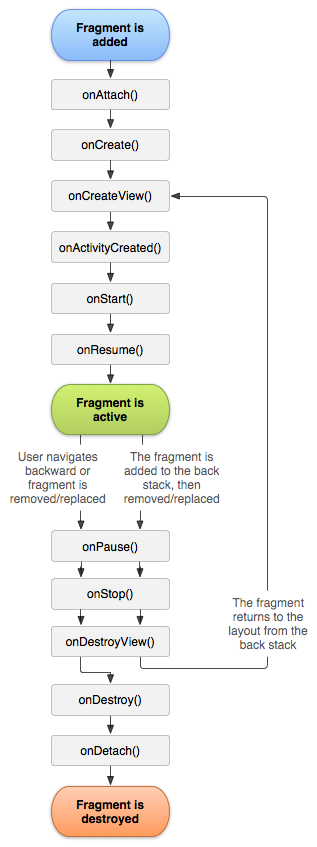
In particular, they kinda have two lifecycles: for the fragment itself and for the view it contains (not referring to headless fragments).
Comparison to Activity
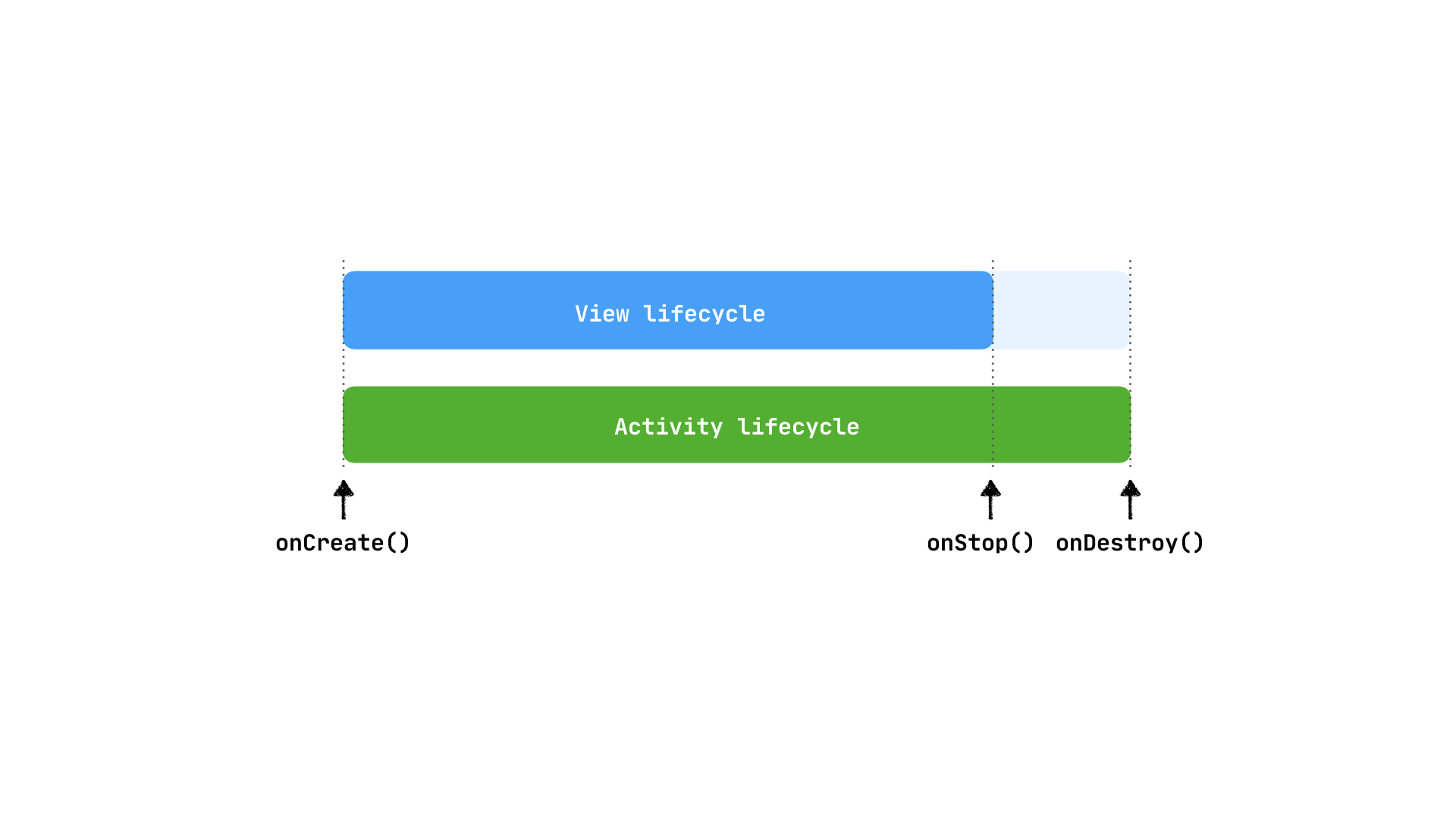
An Activity-view's lifecycle is closely tied to the Activity's lifecycle: the view is (commonly) inflated in onCreate. After onStop, if the Application's process is destroyed, the system destroys the activity (along with its view) and will invoke onCreate when resuming to allow you inflate your view again. Otherwise the view lives on till onDestroy.
In comparison, the fragment has a rather involved lifecycle: separating out specific view lifecycle callbacks. This was done to allow it achieve its intended functions. The framework asks us for a view in onCreateView and later destroys it in onDestroyView -- all the while a fragment instance could still be around.
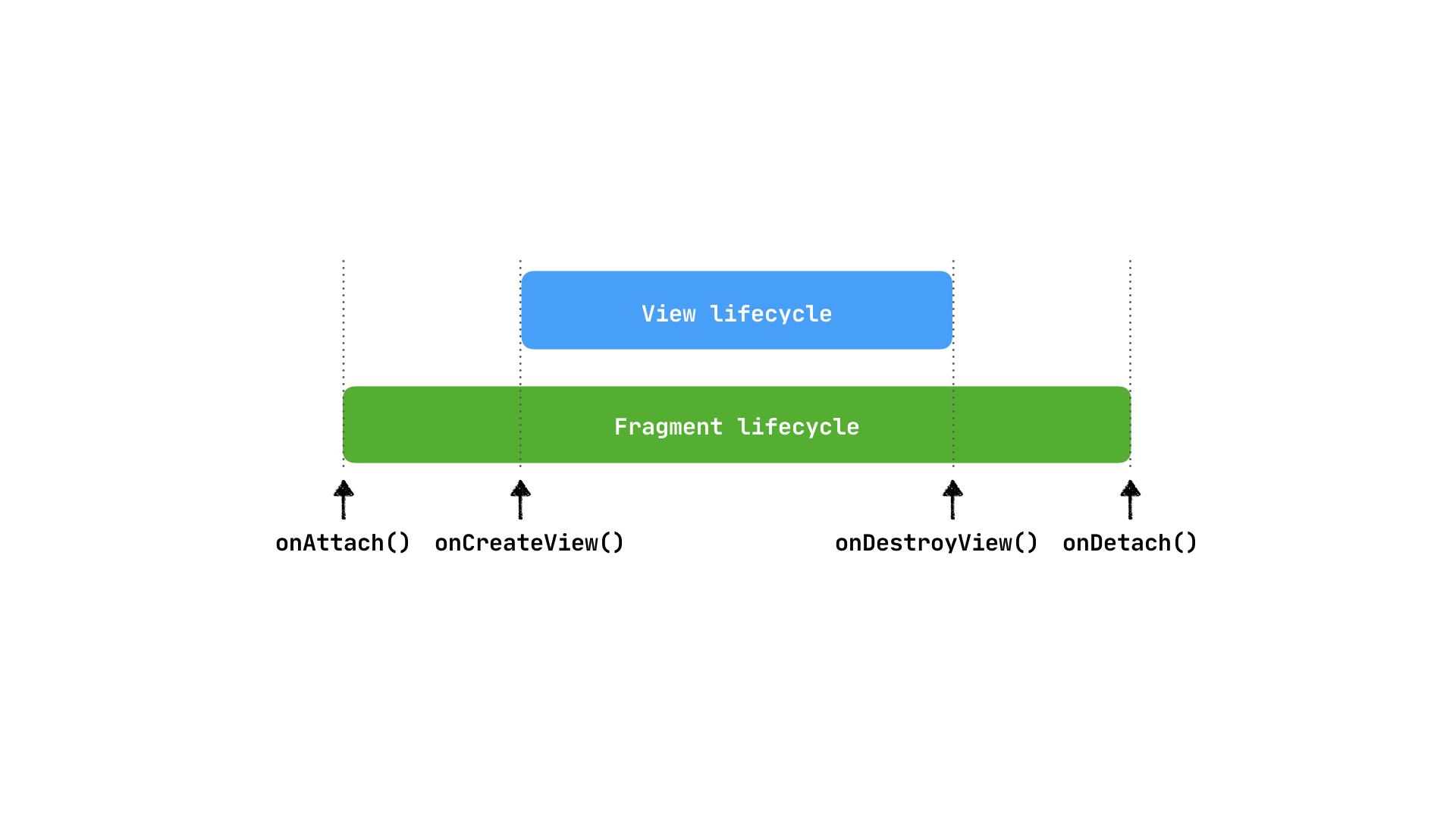
In both cases, we should be extra cautious when holding on to view references after onStop has been called as this is a common source of leaks.
The setup
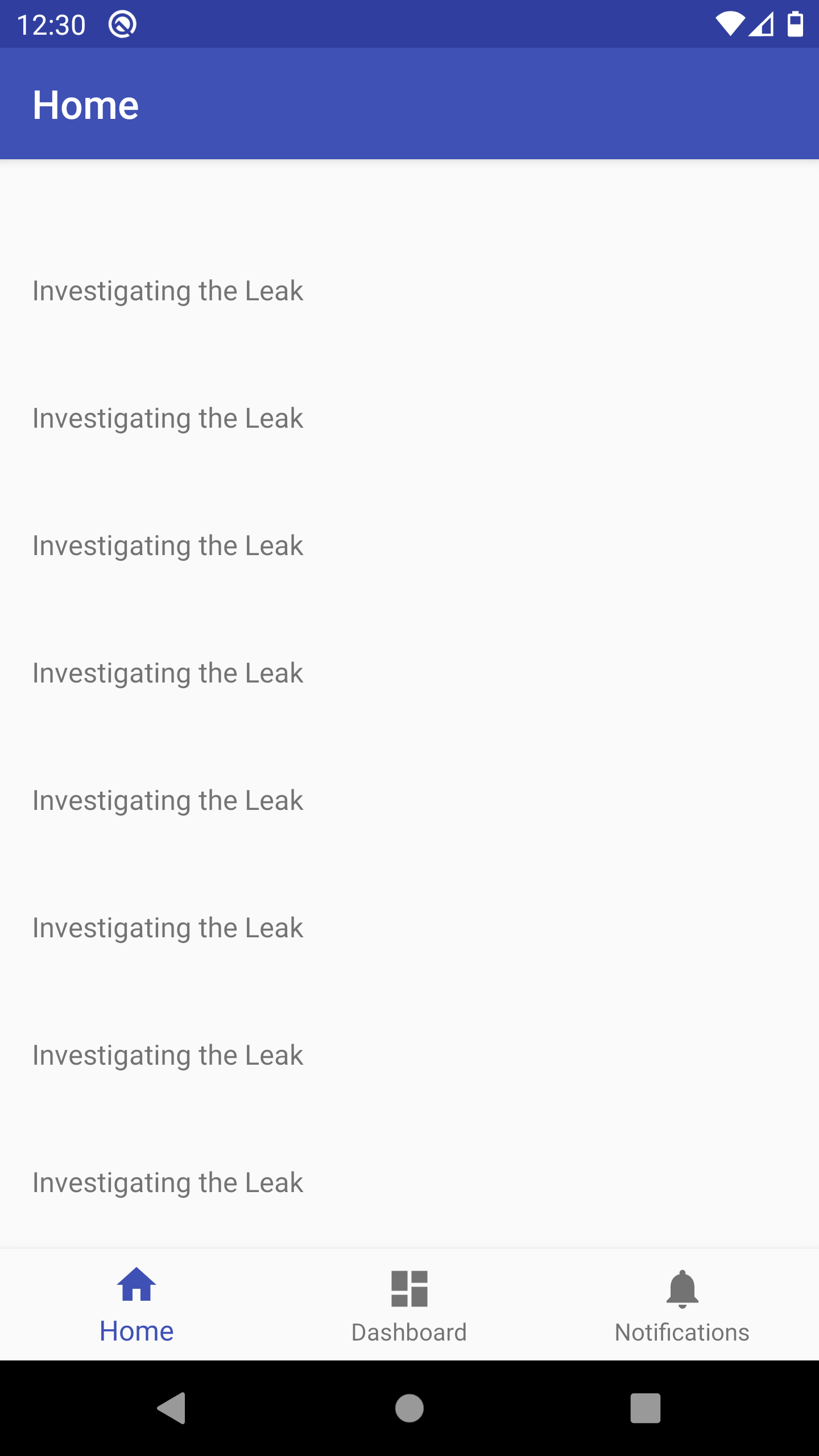
A typical use case of fragments is an app with a bottom navigation bar that swaps fragments in and out on the same activity. In one of the fragments, say Home, we can add a RecyclerView to display a listing of items. Here's a sample setup.
Source code:
The leak
Can you spot a potential leak from the code above? Hint: a leak occurs when we navigate to a different fragment, say the Dashboard.
Tip: I highly recommend you install LeakCanary in your application. It constantly monitors for retained objects (leaks) as you develop your app and they have a great explanation on how it works as well as how to find and fix a leak.
For this sample app, I had to set retainedVisibleThreshold = 1 in order to force a heap dump and analysis for any retained object that's detected.
LeakCanary.config = LeakCanary.config.copy(retainedVisibleThreshold = 1)
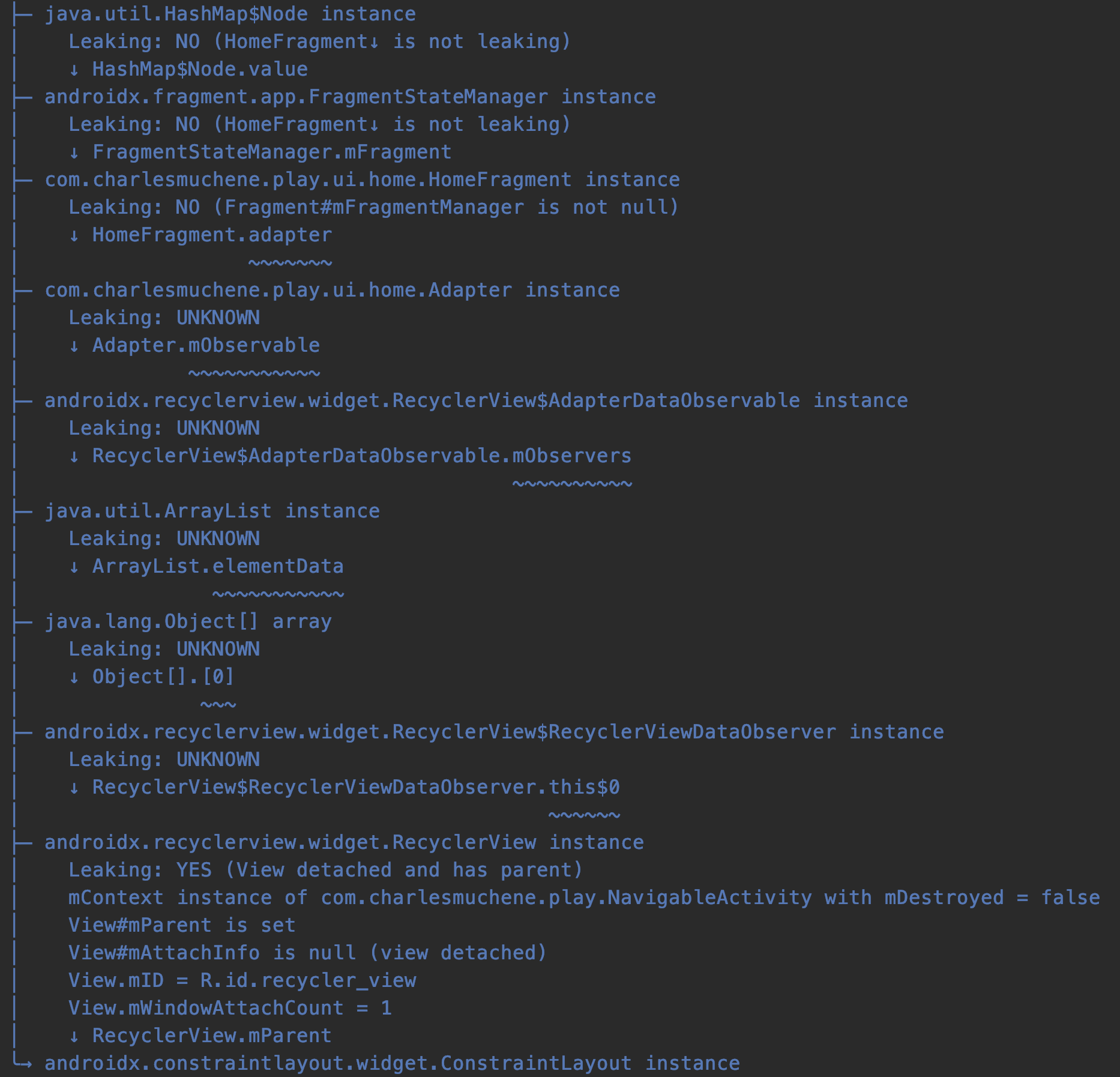
When LeakCanary detects a retained object, it gives you a nice tree illustration of the references and possible suspects causing the leak. Here's a sample leak trace:
Analysis
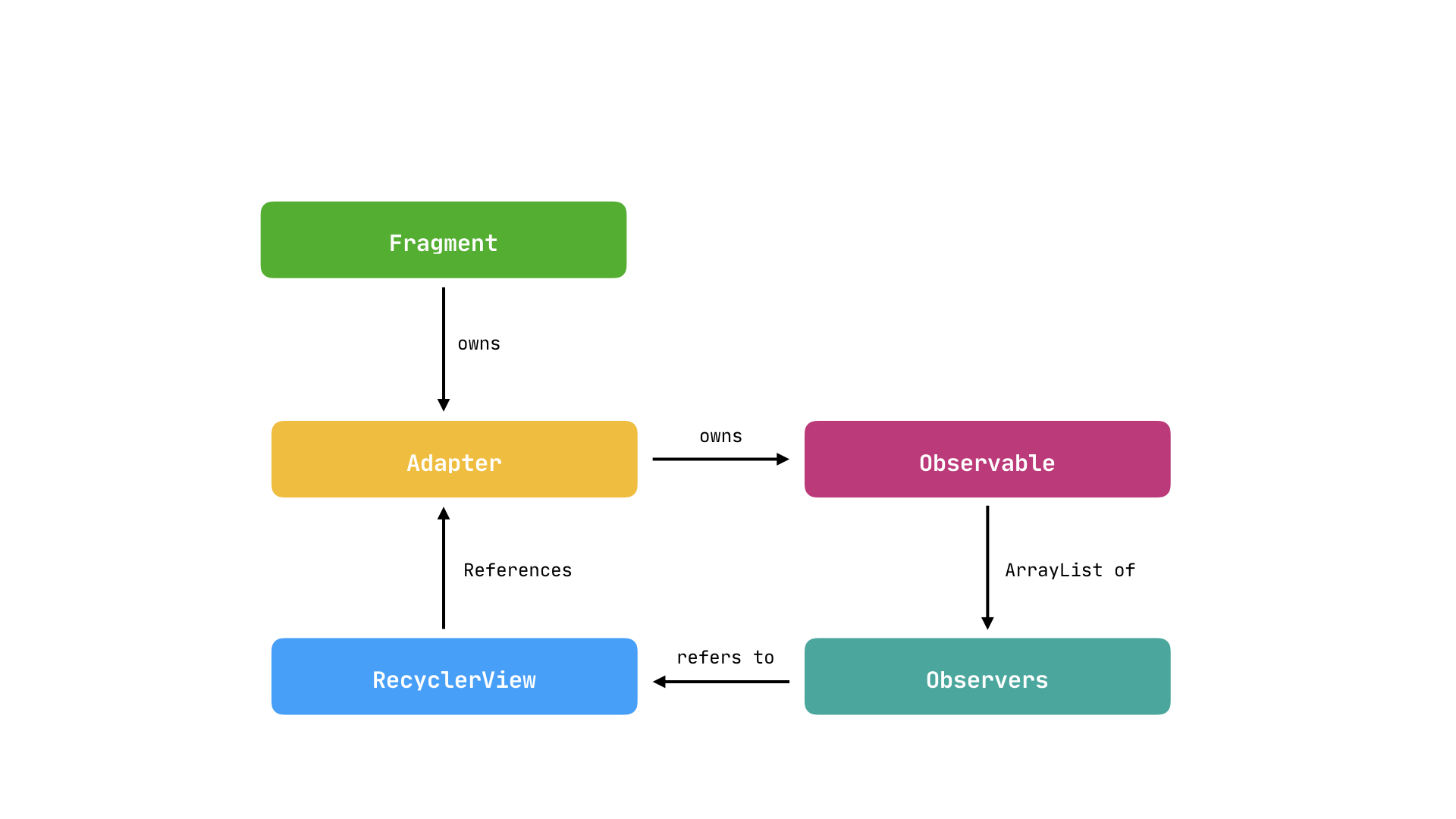
From the screenshot above, the squiggly lines denote possible references causing the leak. Starting from above, the fragment has a strong reference to the RecyclerView's adapter. The adapter owns an observable instance that in turn has a reference to an ArrayList of observers. The first observer in that array is our RecyclerView and lastly, we had set the RecyclerView to refer to the adapter. Convoluted? Here's an illustration.
Cause & Fix
The leak is as a result of retaining the RecyclerView after it has been detached. From the earlier discussion, the fragment's view is destroyed, through onDestroyView, when we transition to another fragment but the fragment itself is still in memory. As a consequence, the adapter instance retains the RecyclerView causing it to leak.
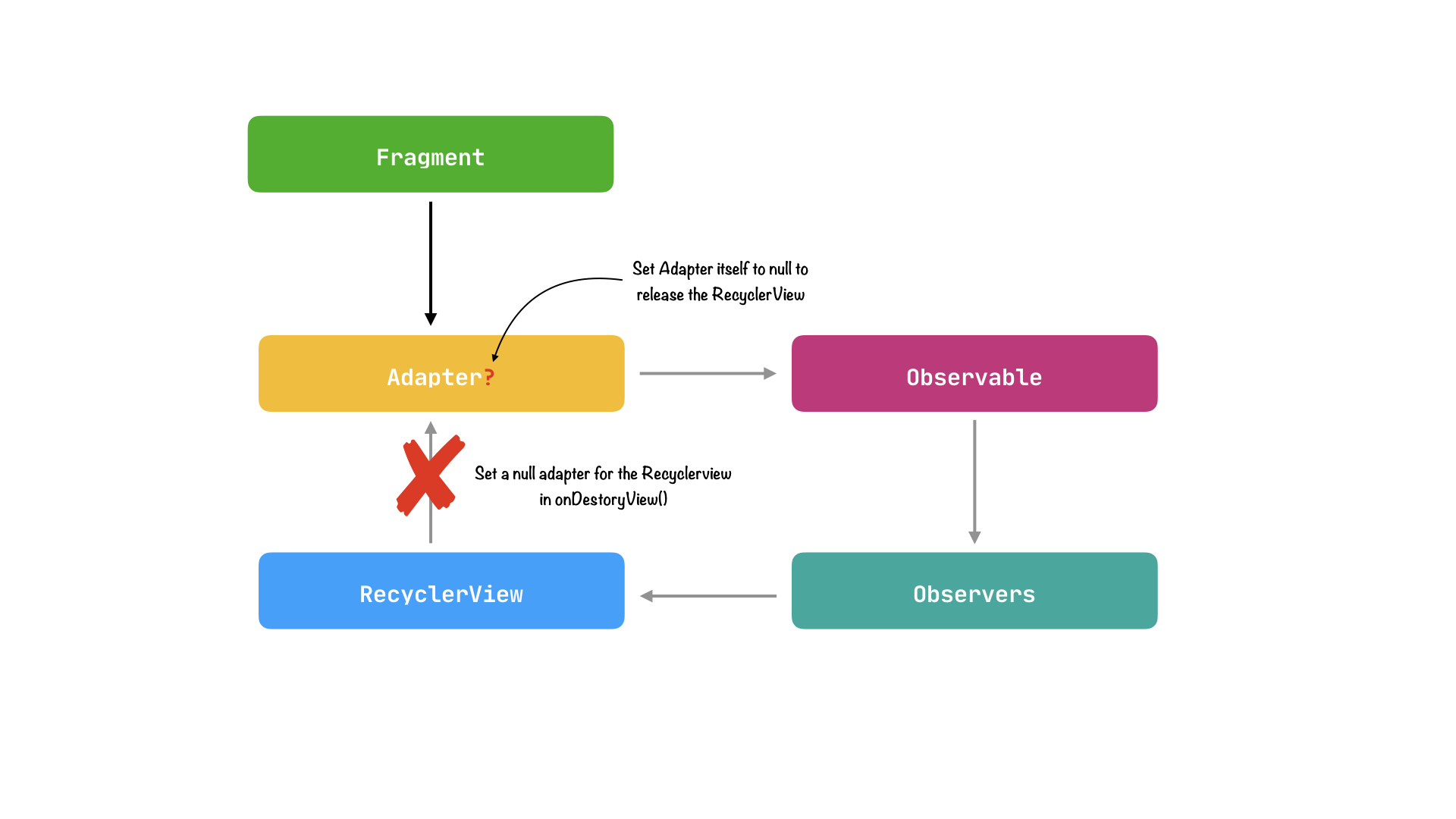
A fix for any retain cycle is to break the cycle.
We have two options to break the cycle in our fragment:
- Set adapter to null and thus garbage collectable alongside the
RecyclerViewfun onDestroyView() { adapter = null // adapter is nullable super.onDestroyView() } - Set
RecyclerView's adapter to nullfun onDestroyView() { view?.findViewById<RecyclerView>(R.id.recycler_view)?.adapter = null super.onDestroyView() }
Conclusion
Subtle decisions made when working with frameworks can have great impact on your app. Understanding and using framework callbacks correctly can help mitigate common errors.
Employ tools and libraries such as the Android Studio profiler and LeakCanary to assist in uncovering hidden issues within your code. And lastly, embrace the framework to write great apps. Happy coding.
About the author
Software Engineer
Comments
Join the discussionNice article. What if you create the adapter locally inside onViewCreated? I think that will be good also
That's all good if you have static data and all of it is available when onViewCreated finishes. I guess that should work.


